
Sales visit tracking Kuwait managers need is more than knowing a salesperson is “out with clients”. It means a record of which client was visited, where, when, for how long and what came of it. This guide explains how to log client visits and field time for a sales team, what a good visit record contains, and how RightTime by Merak Tech handles it with a Sales punch in and out per meeting, client name, notes and a captured address.
In this guide
- Why Field Sales Attendance Is Hard
- What a Good Visit Record Contains
- How Visit Logging Works in RightTime
- Why Salesperson Mode Is Different From Office Attendance
- What Managers Gain
- Keeping It Fair and Trusted
- Reports and Follow-Up
- Rollout Checklist
- Common Mistakes
- Frequently Asked Questions
- Final Thoughts
Why Field Sales Attendance Is Hard
A salesperson’s day is not tied to one desk or one door. A fixed fingerprint machine at the office tells you little, and a fixed location rule does not fit someone who visits five clients in different areas. Companies often fall back on trust, WhatsApp messages or end-of-day reports, which leads to:
- Unclear working hours: nobody can say how much of the day was client time, travel or something else.
- Missing visit history: when a salesperson leaves, their client notes leave with them.
- Disputes: arguments about whether a visit happened, how long it lasted and what was agreed.
- Weak planning: managers cannot see which accounts get attention and which are neglected.
What a Good Visit Record Contains
| Item | Why It Matters |
|---|---|
| Client or company name | Shows which account was visited. |
| Arrival time and location | Confirms the visit started, and where. |
| Street address | A readable address is easier to check than raw coordinates. |
| Purpose of the meeting | Separates demos, follow-ups, collections and new-business calls. |
| Pre-meeting notes | Captures what the salesperson planned to cover. |
| Departure time | Gives the total visit duration. |
| Outcome notes | Records what was agreed and the next step. |
How Visit Logging Works in RightTime
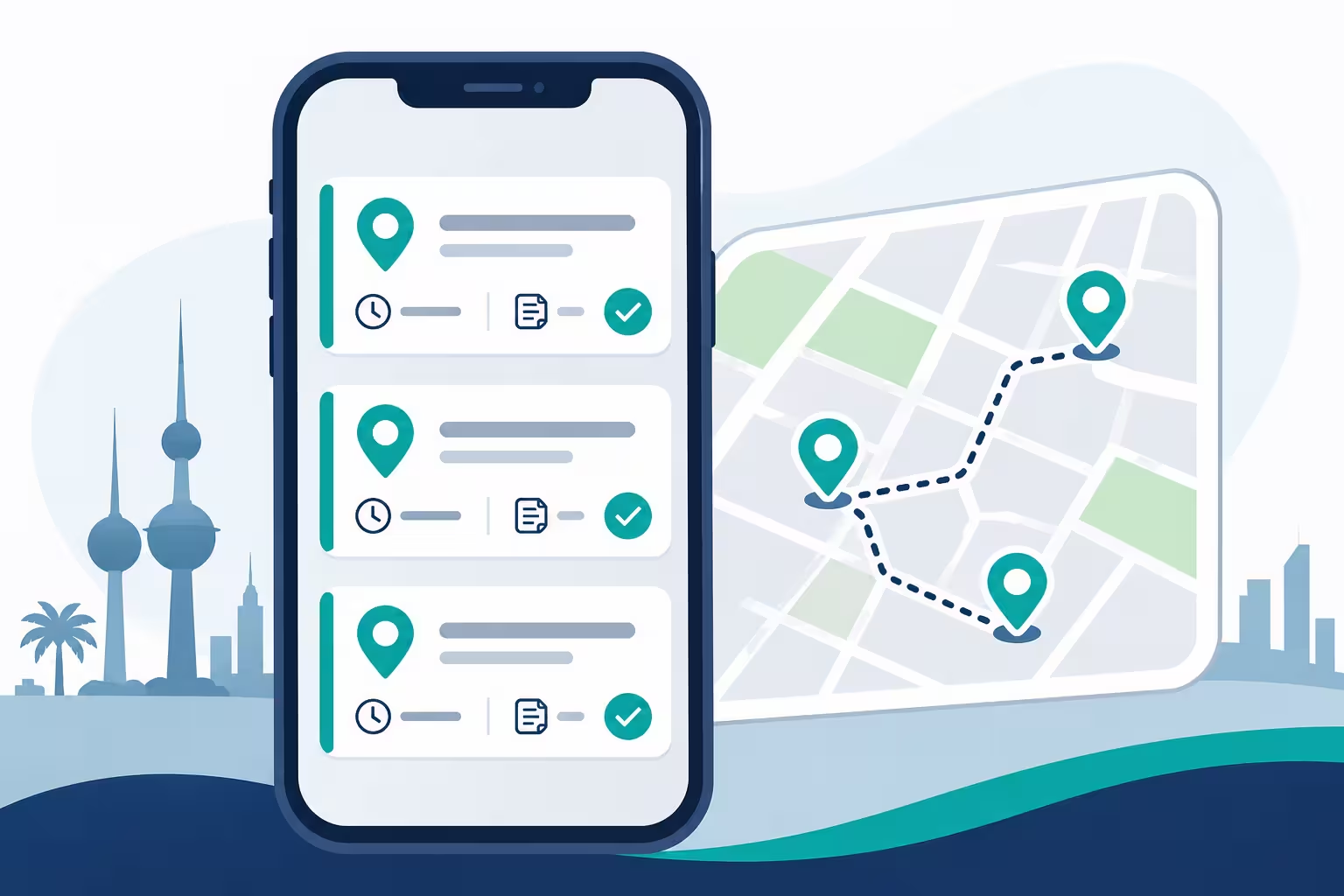
RightTime handles field visits through Sales punches in the mobile app. Each client meeting has an arrival check-in and a departure check-out.
| Stage | What the Salesperson Does | What Is Recorded |
|---|---|---|
| Arrival check-in | Taps “Punch In (Sales)” on arrival. | GPS coordinates, the street address from reverse geocoding, and a live selfie check if face detection is enabled. |
| Meeting details | Enters the client or company name, purpose of the meeting and pre-meeting notes. | The visit’s context, saved with the check-in. |
| Departure check-out | Taps “Punch Out (Sales)” when the meeting ends and adds outcome notes. | The total client visit duration and the outcome. |
A salesperson can repeat this cycle for as many meetings as they have in a day. For background on how coordinates become readable addresses, see this overview of reverse geocoding.
Why Salesperson Mode Is Different From Office Attendance
Office attendance asks, “Was this person at the office?” Field visits ask, “Where was this person, and what were they doing?” That needs different rules:
- No fixed fence: salesperson mode bypasses stationary geofences, so a punch at a client’s site is valid.
- Location is recorded, not just checked: the system logs the position and address at each punch.
- Several punches per day: each meeting is its own record.
- Context is mandatory: the visit has a client name and purpose, not just a timestamp.
You can still use office or home geofences for the same employee on days they work from the office or from home. See our guide to GPS attendance in Kuwait for how the three modes fit together.
What Managers Gain
- Visibility without calling: see where the team is and which clients they have seen, without chasing updates.
- Better coverage: spot accounts that are visited too often and accounts that are ignored.
- Cleaner time records: client time is separated from travel and office time.
- Stronger handovers: notes stay with the client record when territories change.
- Fair evaluation: activity data supports coaching conversations with facts.
- Dispute resolution: a visit has a time, place and note, so disagreements are easier to settle.
Keeping It Fair and Trusted
Visit tracking works best when salespeople see it as support, not surveillance:
- Explain what is recorded and when. Location is captured at punches, not as a replacement for judgment.
- Keep notes short and useful, so logging takes seconds and not minutes.
- Use the data for coaching, not only for catching mistakes.
- Allow for real-world problems: weak signal in basements, closed offices and cancelled meetings happen.
- Have an exception process where a manager can review and approve a punch, with the reason recorded.
- Limit access to visit and location data to people who need it, and follow your local data protection requirements.
Reports and Follow-Up
Visit data becomes valuable when it feeds regular reviews:
- Daily summary: first punch in, last punch out, work duration and attendance status for each employee.
- Visit history by client: who visited, when, why and what the outcome was.
- Monthly attendance view: present days, absences and overtime alongside field activity.
- Exports: reports can be exported to PDF and Excel for management and payroll.
- Integration: an API and webhooks let you send attendance data into HR, payroll or ERP systems.
Rollout Checklist
- List which employees work in the field and which work mainly at the office.
- Switch field staff to salesperson mode, and keep office or home rules for the others.
- Decide what is mandatory on every visit: client name, purpose and notes.
- Decide whether to require a live face check on field punches.
- Install the mobile app, enable location access and test on each phone.
- Train the team with real examples, including a quick visit and a long meeting.
- Agree on the exception process for signal problems and cancelled meetings.
- Pilot with one sales team, review the visit logs weekly, then expand.
Common Mistakes
- Using fixed geofences for people who work at client sites all day.
- Requiring long notes, so the team skips or rushes logging.
- Collecting visit data and never reviewing it.
- Rolling out without explaining what is recorded and why.
- Treating every gap as misconduct instead of checking for signal or access issues first.
- Keeping client notes in private chats instead of the shared system.
Frequently Asked Questions
What is sales visit tracking?
It is recording each client visit with a time, location, client name, purpose and outcome, so managers have a reliable history of field activity.
How does a salesperson log a visit in RightTime?
They tap Punch In (Sales) on arrival, which captures GPS coordinates, the street address and a live selfie check if enabled. They enter the client name, meeting purpose and notes. When the meeting ends, they tap Punch Out (Sales) and add outcome notes.
Can a salesperson log several visits in one day?
Yes. Each meeting has its own check-in and check-out.
Is the salesperson restricted to a geofence?
No. Salesperson mode bypasses fixed fences and records the location at each punch.
Does it replace a CRM?
No. It records attendance and visit activity. You can connect attendance data to other systems through the API and webhooks.
Is location data private?
It should be treated as personal data. Tell employees what is recorded and why, limit who can see it, and follow your local data protection requirements.
Final Thoughts
Good sales visit tracking Kuwait teams can rely on is simple for the salesperson and useful for the manager: a check-in with a client name, a check-out with an outcome, and a location that is recorded without a fixed fence. Keep the logging light, explain the purpose, review the data regularly, and your field team’s time stops being a mystery.
Want to see client visit logging in RightTime?
Request a free consultation or demo from Merak Tech. Contact us here.