
How to Choose the Best POS System for a Restaurant in Kuwait
Choosing a POS system for a restaurant in Kuwait isn’t simply about finding software that can print bills and accept payments.
Your POS sits at the center of your daily restaurant operations. It handles orders, billing, payments, tables, kitchen communication, inventory, and often customer data.
Choose the wrong system, and your team may spend more time working around the software than actually serving customers.
Choose the right one, and your restaurant can operate faster, more accurately, and with much better visibility.
So, what should you actually look for when choosing a restaurant POS system Kuwait businesses can rely on?
Let’s break it down.
What Is a Restaurant POS System?
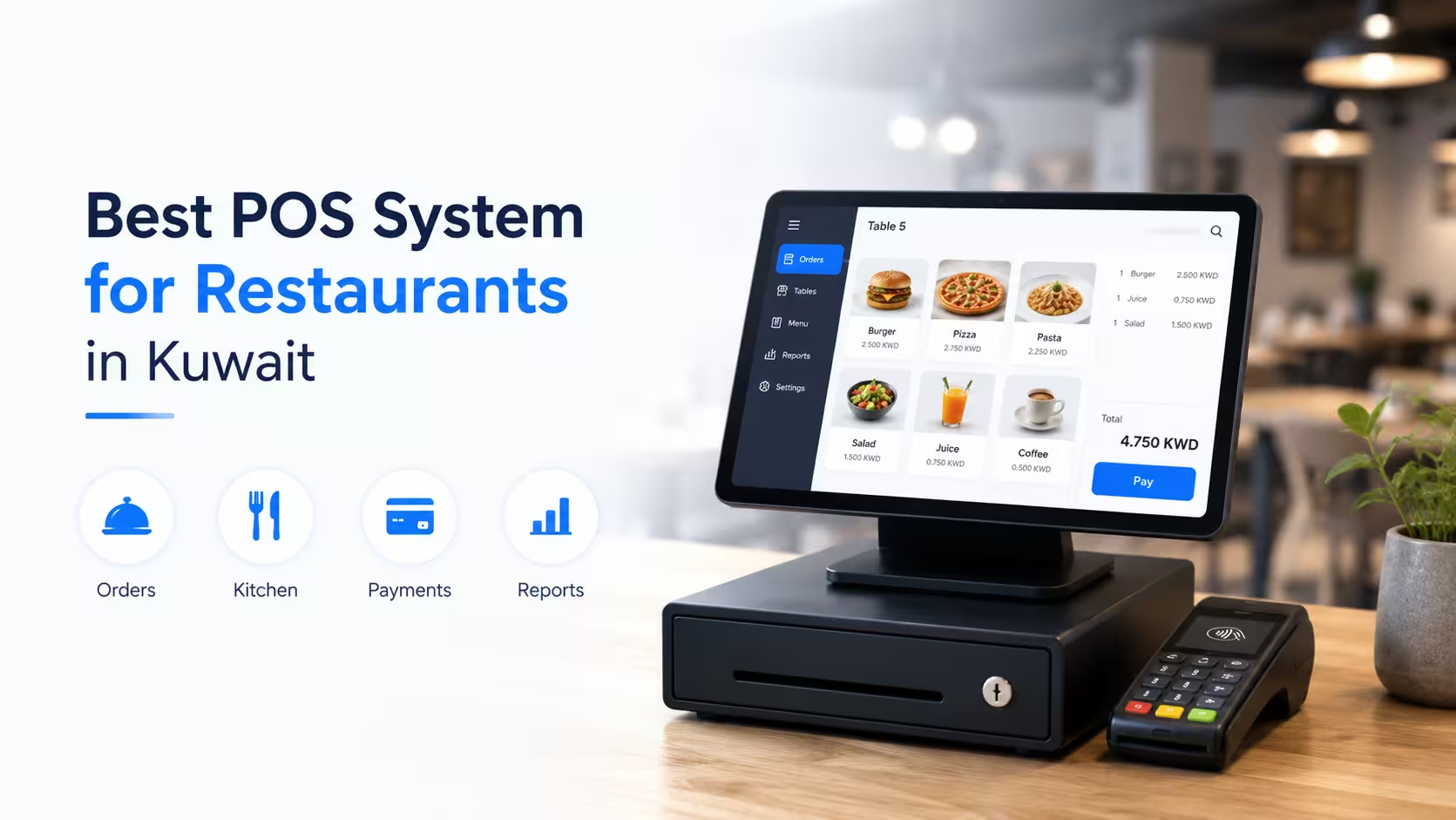
A restaurant POS system Kuwait restaurants use is the technology behind sales and day-to-day restaurant transactions.
A modern POS can do much more than process payments.
Depending on the solution, it can help you manage:
- Orders and billing
- Tables and floor plans
- Kitchen orders
- Delivery orders
- Inventory
- Customer information
- Discounts and promotions
- Staff activity
- Multiple branches
- Sales reports
- Payment integrations
For a growing restaurant, the POS becomes an important operational tool—not just a cash register.
Why Choosing the Right POS System Matters in Kuwait
Restaurants in Kuwait operate in a fast-moving environment.
Customers expect quick service, convenient payment options, accurate orders, and increasingly digital experiences.
At the same time, restaurant owners need to control food costs, manage staff, monitor sales, and keep track of multiple ordering channels.
A good POS system should help with these challenges rather than create additional work.
Before choosing a system, ask yourself:
Will this POS make my restaurant easier to operate six months from now—or will it become another system my staff has to work around?
1. Look for Fast and Easy Order Processing
Speed matters in restaurants.
During lunch and dinner rushes, even a small delay at the POS can create a queue.
Your staff should be able to:
- Create orders quickly
- Modify items
- Apply discounts
- Split bills
- Move tables
- Process payments
- Handle takeaway orders
- Send orders to the kitchen
The interface should also be simple enough that new employees can learn it without extensive training.
A complicated POS may have hundreds of features, but if your cashier needs several clicks to complete a basic order, it’s probably not the right system.
2. Make Sure It Supports Kitchen Operations
The POS shouldn’t stop at the front counter.
Restaurant orders need to reach the kitchen accurately and quickly.
Look for features such as
- Kitchen Order Tickets (KOT)
- Kitchen Display System (KDS)
- Department-wise order routing
- Order status tracking
- Kitchen printing
- Real-time order updates
For example, drinks can be routed to the bar while food orders are sent directly to the appropriate kitchen station.
This reduces communication problems between front-of-house and kitchen staff.
3. Check Delivery Platform Integration
Delivery is now an important revenue channel for many restaurants.
If your restaurant receives orders from multiple delivery platforms, manually entering every order into the POS creates unnecessary work and increases the possibility of errors.
Your POS should ideally integrate with the delivery platforms you use.
Depending on your requirements, this may include platforms such as:
- Talabat
- Deliveroo
- Keeta
- Other relevant delivery services
The benefit is simple:
Orders can flow into your restaurant’s operational system instead of being manually copied from one platform to another.
Before purchasing a POS, check exactly which delivery platforms are supported and how the integration works.
4. Consider KNET and Other Payment Integrations
Payment flexibility matters in Kuwait.
Your restaurant POS should support the payment methods your customers actually use.
When evaluating a system, ask about integrations with:
- KNET
- Credit and debit cards
- Digital payment methods
- Online payments
- Other relevant payment providers
More importantly, make sure the payment integration works smoothly with your billing workflow.
A customer shouldn’t have to wait while staff manually reconcile payment information.
5. Don’t Ignore Inventory Management
This is where a basic billing system often falls short.
Restaurants don’t just sell products.
They consume ingredients.
If you sell a chicken burger, the system should ideally help you understand what ingredients are being consumed as part of that sale.
A good restaurant POS can connect sales with inventory and recipe management.
This can help you monitor:
- Ingredient usage
- Stock levels
- Recipes
- Food costs
- Wastage
- Purchasing
- Stock movement
Better inventory visibility can help restaurant owners control costs and reduce unnecessary waste.
6. Look for Multi-Branch Management
If you currently operate multiple locations—or plan to expand—make sure the POS can scale with you.
Managing each branch separately can quickly become difficult.
A multi-branch POS should allow management to monitor information across locations from a centralized system.
You may want to compare:
- Branch sales
- Product performance
- Inventory
- Staff performance
- Discounts
- Expenses
- Customer activity
You shouldn’t need to collect separate reports from every branch just to understand how your business performed yesterday.
7. Check Reporting and Analytics
A POS system collects valuable business data every day.
The question is whether you can actually use it.
A good reporting system should help you understand:
- Total sales
- Sales by branch
- Sales by product
- Peak hours
- Payment methods
- Discounts
- Staff performance
- Inventory movement
- Customer trends
The goal isn’t to have hundreds of reports.
It’s to have the right reports at the right time.
Restaurant owners need information that helps them make better decisions.
8. Make Sure the System Is Cloud-Based
A cloud-based POS can provide greater flexibility for restaurant owners and management teams.
Instead of being limited to one location, authorized users can access business information remotely.
This can be especially useful for restaurant owners managing multiple branches.
You can check business performance without physically visiting every location.
However, don’t choose a cloud POS simply because it says “cloud.”
Ask about:
- Data security
- Backups
- Internet dependency
- Offline functionality
- User permissions
- Data recovery
- Support
9. Ask About Offline Functionality
Restaurants can’t always depend on a perfect internet connection.
If your internet goes down during a busy service period, your POS shouldn’t bring the entire restaurant to a standstill.
A reliable restaurant POS should have an appropriate offline mode or business continuity solution so essential operations can continue during temporary connectivity issues.
Before choosing a system, ask:
What happens if the internet goes down?
The answer matters.
10. Think About Odoo ERP Integration
If your restaurant already uses Odoo—or plans to implement it—POS integration should be an important consideration.
A connected POS and ERP environment can allow information to flow between restaurant operations and broader business functions.
For example:
POS sale → Inventory update → Accounting entry → Reporting
This reduces duplicate data entry and helps management maintain a more complete view of the business.
At MERAK, we help businesses integrate Odoo ERP solutions in Kuwait with their operational systems to create more connected workflows—an increasingly common request from businesses evaluating a restaurant POS system Kuwait-wide.
11. Check Customer Management and Loyalty Features
A restaurant POS can also play an important role in customer retention.
Look for features such as:
- Customer profiles
- Purchase history
- Loyalty points
- Memberships
- Promotions
- Customer feedback
- Personalized offers
Knowing what your customers buy and how frequently they visit can help you build more effective loyalty strategies.
Getting a customer to return is often more valuable than constantly trying to find a new customer.
12. Make Sure Staff Management Is Included
Your restaurant POS should help you understand what’s happening at the staff level too.
Useful features can include:
- User accounts
- Role-based permissions
- Staff activity
- Shift management
- Cashier tracking
- Sales attribution
This provides greater accountability and helps management identify operational issues.
13. Don’t Choose Based on Price Alone
Price is important.
But the cheapest POS system isn’t necessarily the most affordable option in the long run.
Consider the total cost of ownership, including:
- Software subscription
- Hardware
- Installation
- Training
- Integrations
- Support
- Maintenance
- Future upgrades
A low-cost POS that requires constant manual work may ultimately cost your business more than a slightly more advanced system.
The right question isn’t:
“How much does the POS cost?”
It’s:
“How much value will the POS create for my restaurant?”
Common Mistakes When Choosing a Restaurant POS
Many restaurant owners make the same mistakes when evaluating POS systems.
Choosing Too Many Features
More features don’t automatically mean a better system.
Choose features that solve actual business problems.
Ignoring Staff Experience
Your employees will use the POS every day. If it’s difficult to use, adoption will suffer.
Forgetting About Integrations
A POS that doesn’t connect with your existing systems can create more manual work.
Not Testing During a Busy Workflow
Don’t only test the system in a quiet office.
Simulate a busy restaurant environment.
Ignoring Support
Even good software can experience issues.
Make sure you understand who provides technical support and how quickly they respond.
Why MERAK Tech?
At MERAK Tech, we understand that choosing a POS system for a restaurant in Kuwait isn’t just a software decision.
It’s an operational decision.
We help restaurants evaluate their requirements and implement technology that connects their front-of-house, kitchen, inventory, delivery, payment, and business management processes.
Our restaurant technology solutions can include:
- Restaurant POS
- KOT & KDS
- Inventory Management
- Online Ordering
- Delivery Platform Integration
- KNET & Payment Integration
- Customer Loyalty
- Multi-Branch Management
- Business Reporting
- Odoo ERP Integration
- Staff Training
- Technical Support
We focus on finding the right solution for your restaurant rather than simply selling you another piece of software.
Final Thoughts
Choosing a restaurant POS system Kuwait owners can rely on requires more than comparing prices and feature lists.
You need to consider how the system will work during your busiest hours, how easily your staff can use it, whether it connects with delivery and payment platforms, how it handles inventory, and whether it can grow with your business.
For a small restaurant, a simple POS may be enough.
For a growing restaurant chain, you’ll likely need much more—including multi-branch management, inventory, integrations, analytics, and potentially ERP connectivity.
The right POS should make your restaurant faster, more organized, and easier to manage.
If your current system is creating more work instead of reducing it, it may be time for a change.
Looking for the right restaurant POS system Kuwait businesses can depend on? Talk to MERAK Tech and let’s find a solution that fits your business.
Frequently Asked Questions
What should I look for in a restaurant POS system Kuwait?
Look for fast billing, easy order management, kitchen integration, inventory management, payment integration, delivery platform connectivity, reporting, multi-branch support, security, and reliable technical support.
Is a cloud-based POS better for restaurants?
A cloud-based POS can provide easier remote access, centralized management, automatic updates, and better visibility across multiple locations. However, you should also check offline functionality and data security before choosing one.
Can a restaurant POS integrate with Odoo?
Yes. A restaurant POS can integrate with Odoo ERP so sales, inventory, accounting, purchasing, and other business information can work together.
Does a restaurant POS need KNET integration in Kuwait?
For restaurants operating in Kuwait, supporting commonly used local payment methods such as KNET can provide a more convenient customer payment experience. Always confirm the exact payment integrations supported by the POS provider.
Can one POS manage multiple restaurant branches?
Yes. Many modern restaurant POS systems support multi-branch management, allowing owners and managers to monitor sales, inventory, staff activity, and performance from a centralized platform.