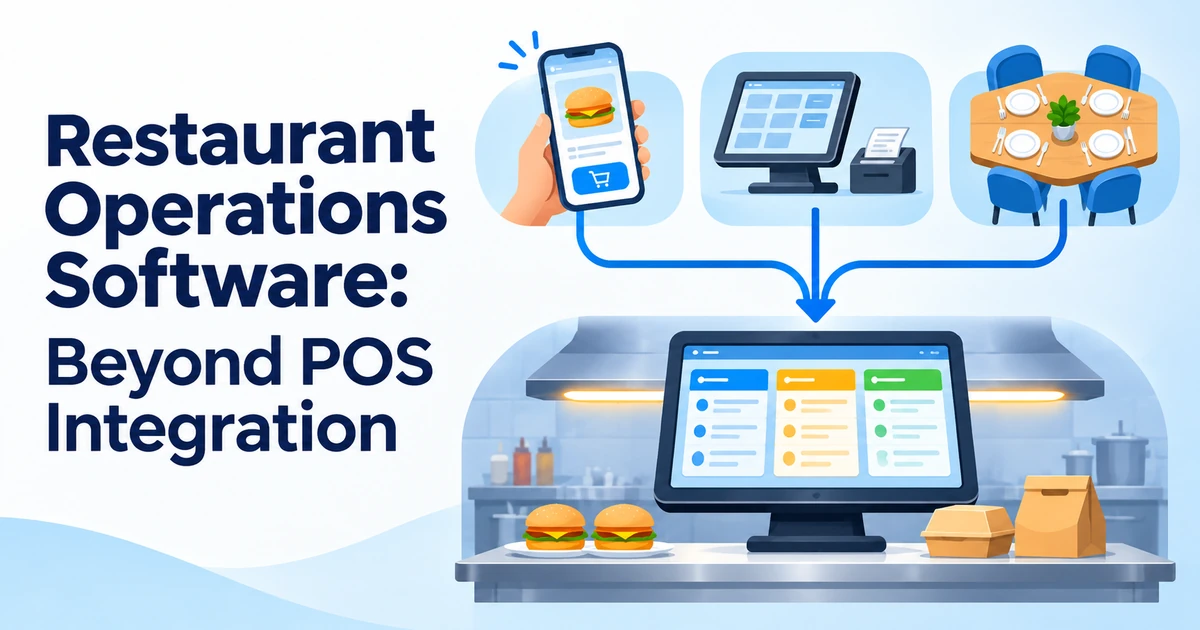

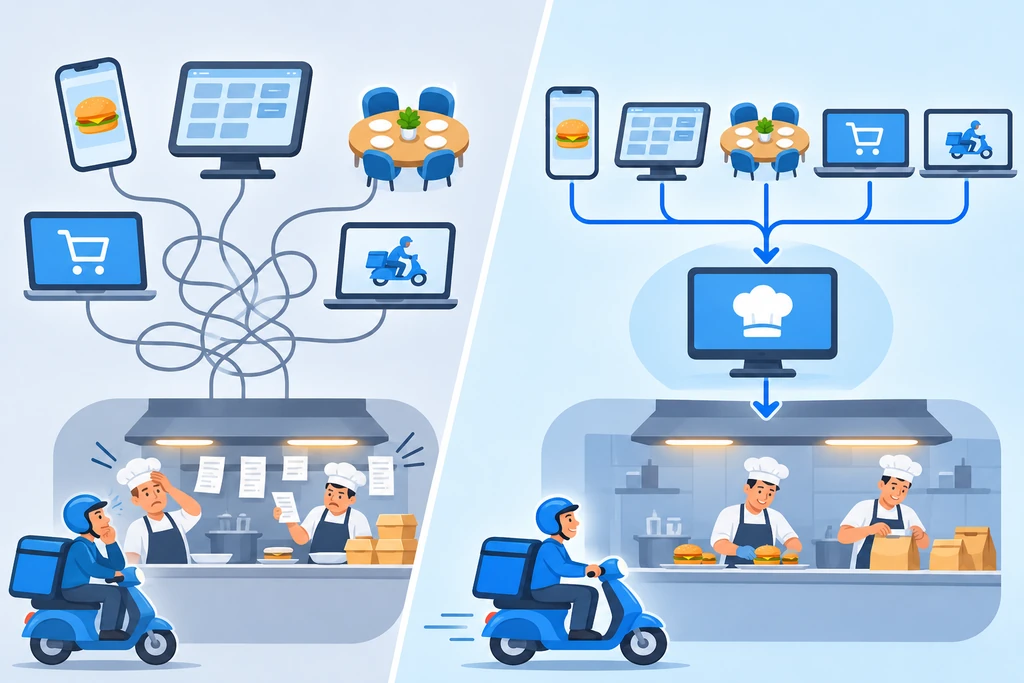
Your point of sale is live, your delivery apps are connected and your kitchen screen works, yet service still feels messy. Orders arrive late, the kitchen cannot see what is coming, drivers wait at the counter and the owner gets branch reports days after the fact. The issue is not missing connections. It is that connected systems are not the same as coordinated ones. Restaurant operations software is the layer that turns separate, connected tools into one working operation. This guide explains the difference, where operations break, and what to look for.
In this guide
Integration Is Not the Same as Operations
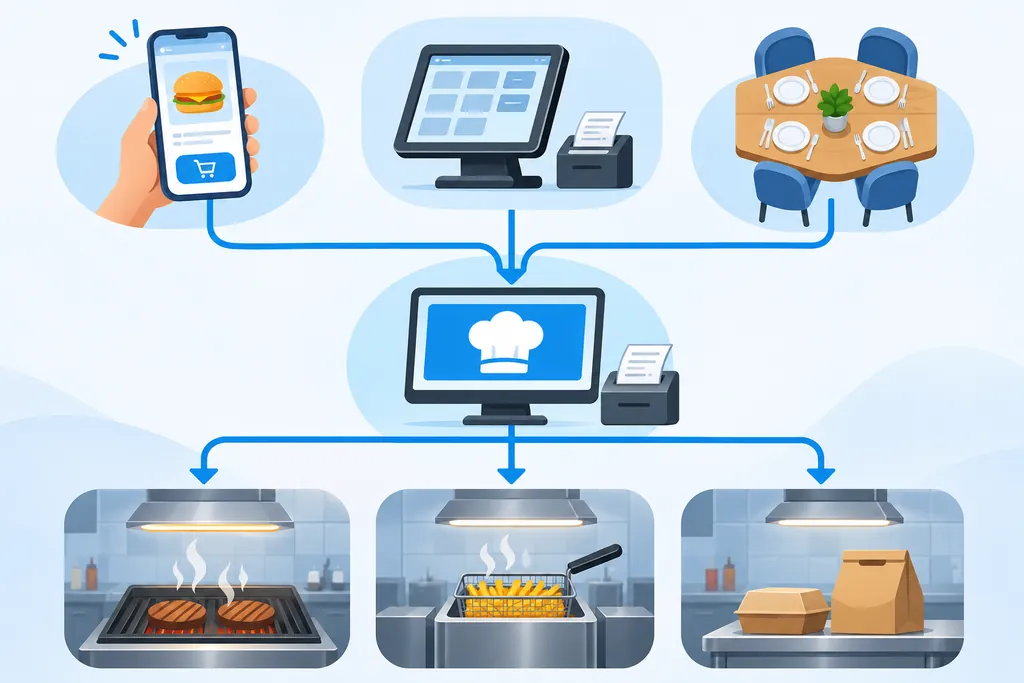
Integration answers one question: do my systems exchange data? Operations asks a harder one: do my systems work together, in real time, to get a correct order cooked, packed, handed over and reported?
| Question | Integration Answers | Operations Answers |
|---|---|---|
| Focus | Did the order reach the POS? | Did it reach the right station, at the right time, with the right details? |
| Timing | Data moves between systems. | Kitchen, dispatch and driver arrival line up. |
| Problems | Shows a connection error. | Shows why a delivery was late, in one place. |
| Reporting | Each tool has its own report. | One view across channels and branches. |
If you are still fixing the basics of connecting your tools, start with our guide to restaurant technology integration. This article picks up where that one ends.
Four Places Operations Break
1. Order routing
Delivery platforms, the website, the counter and the dining room each send orders in their own format and at their own speed. Without a common step, kitchens receive orders that are delayed, duplicated or missing notes and modifiers.
2. Kitchen visibility
The kitchen screen knows what was ordered, but not always what is already dispatched, running late or about to arrive. Staff react to tickets instead of planning the next ten minutes.
3. Dispatch and handover
Kitchen and delivery often run on separate platforms. A driver arrives too early and waits, or too late and the food goes cold. When one delivery fails, someone has to compare several systems to find out why.
4. Multi-branch reporting
Each platform formats its data differently. By the time the numbers are combined for head office, the week has moved on and the problem has repeated.
What a Coordination Layer in Restaurant Operations Software Does
Some providers describe this as middleware or an orchestration layer. It sits between your POS, delivery channels, kitchen screens, dispatch and reporting and does the work that people usually do by hand:
- Normalises orders from every channel into one standard format.
- Routes each order to the correct kitchen station or branch.
- Shares status so the kitchen, front of house and dispatch see the same picture.
- Times the handover so driver arrival matches preparation time.
- Collects data into one set of reports across channels and branches.
Restaurant Operations Software Features to Look For
| Feature | Why It Matters |
|---|---|
| Unified order inbox | Every channel lands in one place with full item details and notes. |
| Station routing | Items go to grill, fryer, bar or packing without manual sorting. |
| Live kitchen display | Shows upcoming load, delays and dispatch status, not only open tickets. |
| Dispatch visibility | Lets the kitchen see when a driver will arrive. |
| Menu and availability control | Turn off a sold-out item once and have it update everywhere. |
| Order history and audit | Find the cause of a late or wrong order quickly. |
| Multi-branch reporting | Compare branches and channels from the same data. |
| Open connections | Works through an application programming interface (API), so new channels do not mean a rebuild. |
What This Means for Kuwait Restaurants
- Many orders, many apps. If Talabat and other platforms bring in a large share of orders, a single order inbox saves real time at peak hours. Ask which platform connections are live for your account.
- Peak-hour pressure. Lunch, Friday evenings and Ramadan evenings create bursts. Routing and kitchen visibility matter most when the kitchen is busiest.
- Bilingual tickets. Kitchen and packing screens should handle Arabic and English item names and notes.
- Payments reconcile. KNET, card and cash totals should match across POS and reports.
- KWD with three decimals. Check that totals stay exact as orders move between systems.
- Multiple branches. Shared menus and one reporting view help you spot a weak branch early.
For the point of sale side, see our guide to a restaurant POS system in Kuwait with KNET, Talabat and inventory integration.
Questions to Ask Before Choosing Restaurant Operations Software
- Which delivery and ordering channels are live today, and which are only planned?
- What happens to an order when a platform is slow or sends incomplete data?
- Can the kitchen see dispatch and driver status on the same screen?
- How are orders routed to different stations or branches?
- Can we trace a single late order from arrival to handover?
- How do we add a new branch or channel, and how long does it take?
- Who supports us when a problem sits between two systems?
- Can we test with real orders before signing?
How to Roll It Out
- Map your flow. Write down what happens from order to handover, and mark where staff intervene by hand.
- Find the worst gap. Often it is delivery orders reaching the kitchen, or dispatch timing.
- Clean your menu data. Item names, modifiers and prices must be consistent before they are shared.
- Pilot in one branch. Run it through a busy week before expanding.
- Train on real orders. Include kitchen, counter and drivers’ coordinators.
- Review and expand. Use the results to adjust, then add branches.
How to Measure the Result
| Measure | What to Look For |
|---|---|
| Order accuracy | Fewer missing items and notes on delivery orders. |
| Time to kitchen | Shorter gap between order placed and ticket seen. |
| Driver wait time | Fewer drivers waiting and fewer cold handovers. |
| Manual interventions | Fewer calls, retyping and screen switching. |
| Complaints and refunds | Fewer issues caused by late or wrong orders. |
| Reporting speed | Branch numbers available the same day. |
Common Mistakes
- Stopping at integration and assuming connected tools will coordinate themselves.
- Judging by a demo instead of a busy-hour test with real orders.
- Ignoring the kitchen. If the kitchen team cannot use the restaurant operations software at speed, it will be bypassed.
- Skipping menu cleanup before connecting channels.
- Launching in every branch at once.
- Having no owner inside the business for the system.
Frequently Asked Questions
What is restaurant operations software?
It is software that coordinates order routing, kitchen visibility, dispatch and reporting across your POS, delivery channels and branches, so they work as one operation instead of separate tools.
How is it different from a POS system?
A POS takes orders and payments. Operations software sits across the POS and other systems to route orders, share status and give a combined view. Some platforms include both.
Is it only for large restaurant groups?
No. Even a single busy outlet with several delivery channels benefits from one order inbox and clearer kitchen visibility. The value grows with channels and branches.
Will it replace my current systems?
Usually not. It connects to what you already use. Ask a provider which POS and delivery platforms it works with today.
Does it help with late deliveries?
It can, by showing the kitchen and dispatch the same status and helping time the driver’s arrival with preparation. Results depend on the setup and your staff process.
How do I start with restaurant operations software?
Map your order flow, find the biggest manual gap, and pilot a fix in one branch before expanding.
Final Thoughts
Good restaurant operations software does not replace your tools; it makes them work together. Connecting your systems solves the first day. Coordinating them solves the long term. If your team still retypes orders, watches several screens or builds reports by hand, the next step is not another tool, but a layer that makes the ones you have work together. Pick the biggest gap, test it with real orders in one branch and measure the change in accuracy, speed and manual work.
Want your restaurant running as one coordinated operation?
Talk to Merak Tech about your POS, delivery channels and kitchen flow, and request a demo. Contact us here.